
Look a little closer.
A name on a list is only a starting point. Research brings a person and their work into focus.

 ZintaraOUTREACH · A BERVYN PRODUCT
Bring prospect research, personal drafts and follow-ups into one workspace. Make room for a more relevant conversation.
The idea behind Zintara
A name on a list is only a starting point. Research brings a person and their work into focus.
Bring that context into a draft. Review the words, the relevance and the reason to reach out.
Organized follow-ups and connected inboxes keep replies close to the conversation that started them.
01 / Inside the experience
For founders and sales teams organizing prospect research and email outreach.
Notes, interests and a reason to connect.
Add the prospect information needed for the campaign. Check the quality of the data and make sure the outreach is relevant to that audience.
Illustrative example of the workflow. No accounts are connected and no actions are submitted.02 / Where it fits
Bring prospect research, AI-assisted writing and email follow-up sequences into one outreach workspace.
Outreach
Bring a focused prospect list into one workspace and prepare a relevant first message. Review the context and wording before relying on an automatically generated draft.
Outreach
Plan the timing and content of a sequence so the next action is explicit. Use conditions to reflect what a recipient does, rather than treating every contact as if they were at the same stage.
Outreach
Manage conversations across connected email accounts. A unified view helps a team see the response and decide what needs a personal reply or a change of approach.
03 / Take a closer look
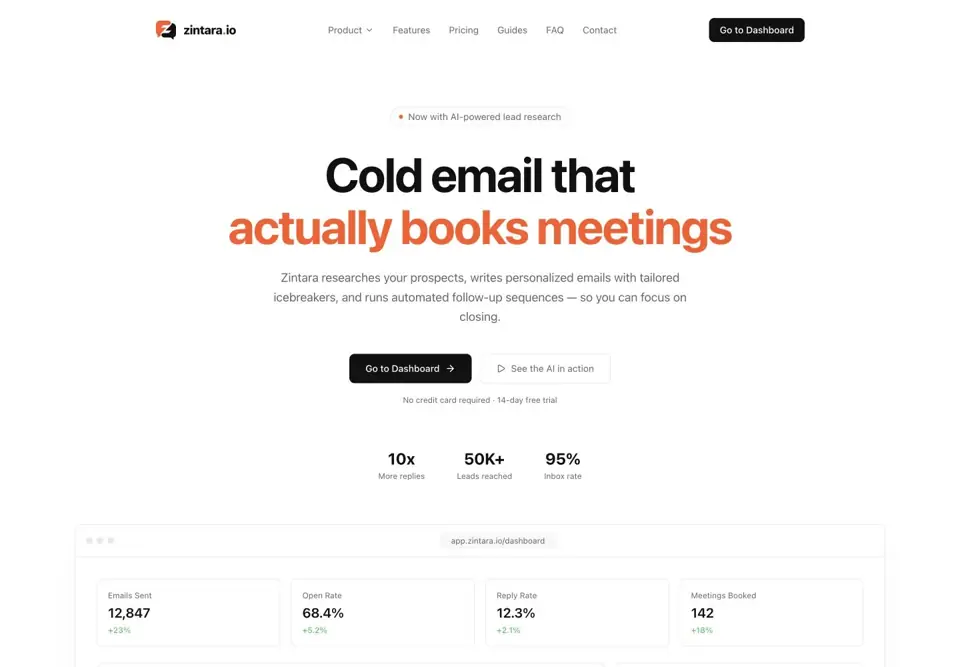
Official website preview Explore the current product, features and plans at Zintara.
A few useful answers
Its published feature set includes prospect research, AI-assisted email drafts and follow-up sequences. Teams should review the source information and final messages.
Zintara describes a unified inbox for replies across connected email accounts, along with team workspace features.
No. Research and generated writing need to be checked for accuracy, relevance and tone. A meaningful reply also needs the right next action from your team.
Zintara focuses on email outreach. Bellcast is an upcoming LinkedIn outreach workspace with a planned desktop companion.
Your next step starts here.