
The first visit is a moment.
A new workspace can hold a hundred possibilities. People only need a good place to begin.

 WakelinePRODUCT ADOPTION · A BERVYN PRODUCT
Help people feel at home in your application. Thoughtful guidance, right where the next step happens.
The idea behind Wakeline
A new workspace can hold a hundred possibilities. People only need a good place to begin.
Tours, checklists and helpful prompts put guidance beside the work, right when it is needed.
Learn from completion and feedback. Refine the path as people find their own way.
01 / Inside the experience
For product and customer success teams improving onboarding and feature adoption.
A short introduction, right where you need it.
Install the provided script in the application. Wakeline also describes a browser extension for evaluating and building guides on authenticated screens.
Illustrative example of the workflow. No accounts are connected and no actions are submitted.02 / Where it fits
Build product tours, checklists, tooltips and in-app surveys on your live application, then measure how people move through them.
Product adoption
Guide a new user toward an initial meaningful action. Combine a short tour with a checklist that makes the setup tasks visible, rather than trying to explain every feature at once.
Product adoption
Introduce a new capability near the interface where it can be used. A contextual tooltip or announcement can be more relevant than asking someone to remember an earlier release email.
Product adoption
Use a survey or feedback prompt near the experience being discussed. Consider the audience and frequency so the request does not become an interruption on every visit.
03 / Take a closer look
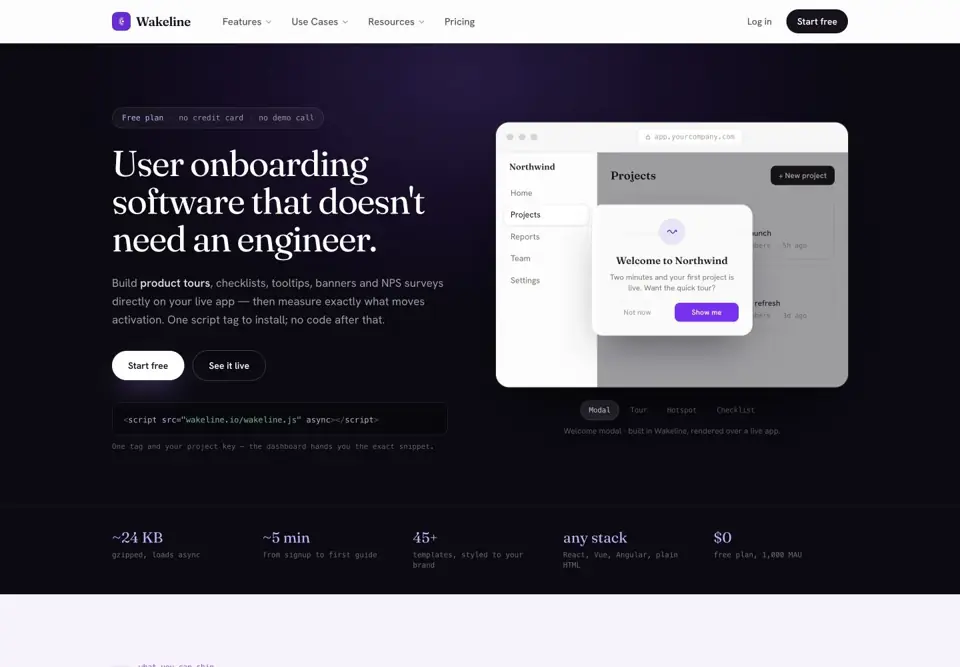
Official website preview Explore the current product, features and plans at Wakeline.
A few useful answers
A developer is normally needed to install the script. After setup, the visual builder is intended for creating and publishing guidance without an application code change.
The official site describes a browser extension that works with your authenticated session when building guides for signed-in screens.
Wakeline lists checklists, tooltips, hotspots, announcement banners, modals, slideouts and NPS or microsurveys.
Wakeline adds guidance to a live application. Tellane creates a separate interactive demo that a prospect or customer can explore through a shared link.
Your next step starts here.